FinOps Automation with OpenOps
OpenOps is the open-source, no-code FinOps automation platform that transforms cloud cost insights into real, measurable action. At Detakai, we deploy and customize OpenOps to power your entire FinOps operation.
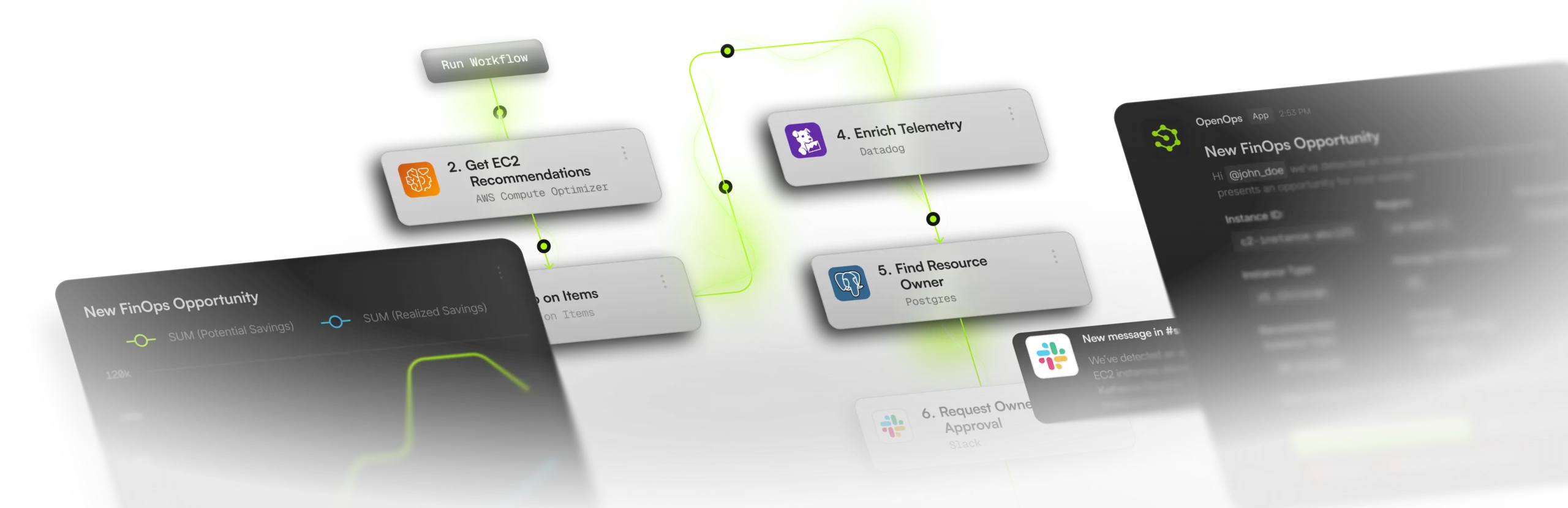
Automation lifecycle
Five controlled stages from signal to savings
Step 01
Detect
Identify Opportunities
Step 02
Analyze
Quantify the Impact
Step 03
Approve
Human-in-the-Loop
Step 04
Execute
Automated Remediation
Step 05
Track
Measure Savings
Approval gate
Recommendations are routed with cost context, owner mapping, and risk signals so teams can approve, dismiss, or defer with enough information to move quickly.
Savings trail
Every approved action rolls into realized savings tracking, creating a shared ROI narrative for finance and engineering instead of a disconnected ops log.
Real-World FinOps Automation
These are the automation scenarios we deploy most frequently with OpenOps — each one delivering measurable, recurring savings.
Example: An m5.2xlarge running at 8% average CPU is flagged and resized to m5.large, saving $1,200/year per instance.
Example: 500+ unattached EBS volumes totaling 50TB found across 12 accounts — $6,000/month recovered after automated cleanup.
Example: Identified $45K/year in savings by converting stable workloads from on-demand to 1-year Compute Savings Plans.
Example: Achieved 98% tagging compliance in 30 days by auto-notifying resource owners and applying default cost-center tags.
Example: A misconfigured NAT Gateway generating $500/day in charges was detected and escalated within 15 minutes.
Example: Consolidated FinOps operations for a hybrid AWS + Azure environment, reducing manual effort by 60+ hours/month.
Connects to Your Entire Stack
OpenOps natively integrates with major cloud providers, communication tools, databases, and ITSM platforms — so automation fits seamlessly into your existing workflows.
AWS
EC2, RDS, S3, Lambda, EBS, ELB, and 30+ services
Azure
VMs, Storage, SQL, AKS, App Service, and more
GCP
Compute Engine, GKE, Cloud SQL, BigQuery, and more
Communication
- Slack
- Microsoft Teams
- PagerDuty
Project Management
- Jira
- ServiceNow
- Linear
- Asana
Data & Analytics
- BigQuery
- Snowflake
- PostgreSQL
- REST APIs
Identity & Access
- AWS IAM
- Azure AD
- Google Workspace
- SSO/SAML
Why We Chose OpenOps
We evaluated dozens of FinOps tools before choosing OpenOps as our automation backbone. Here's what sets it apart.
Truly Open Source
OpenOps is fully open-source under the Apache License 2.0. No vendor lock-in, no hidden costs, no proprietary black boxes. You own the code, the data, and the workflows.
Built for FinOps
Unlike generic automation tools, OpenOps was purpose-built for cloud financial operations. Every feature — from cost detection to savings tracking — is designed around the FinOps lifecycle.
Team-First Design
FinOps is a cross-functional discipline. OpenOps makes it easy for finance, engineering, and leadership to collaborate through shared workflows, approval chains, and unified dashboards.
Enterprise-Grade Security
Self-hosted deployment keeps your cloud credentials and cost data within your infrastructure. Role-based access control, SSO integration, and full audit logging are built in.
Version-Controlled Workflows
Every workflow is versioned, testable, and auditable. Roll back changes, compare versions, and maintain a complete history of your FinOps automation evolution.
Comprehensive Documentation
Extensive documentation, pre-built templates, and an active community make it fast to get started. Detakai further accelerates adoption with expert implementation support.
Ready to Take Control of Your Cloud Costs?
Let's discuss how Detakai can help your organization implement FinOps practices, uncover savings opportunities, and define practical next steps from day one.
contact@detakai.com
Risk-free conversation
Free initial consultation. No commitment required.
Start with a practical discussion, not a financial decision. You get clarity on opportunities before committing to anything.